PulseMetrics: Redesigning a Dashboard That Users Actually Trust
The data was all there. The problem was how it was presented. A full redesign of a SaaS analytics dashboard from dense tables to confident, readable data storytelling.
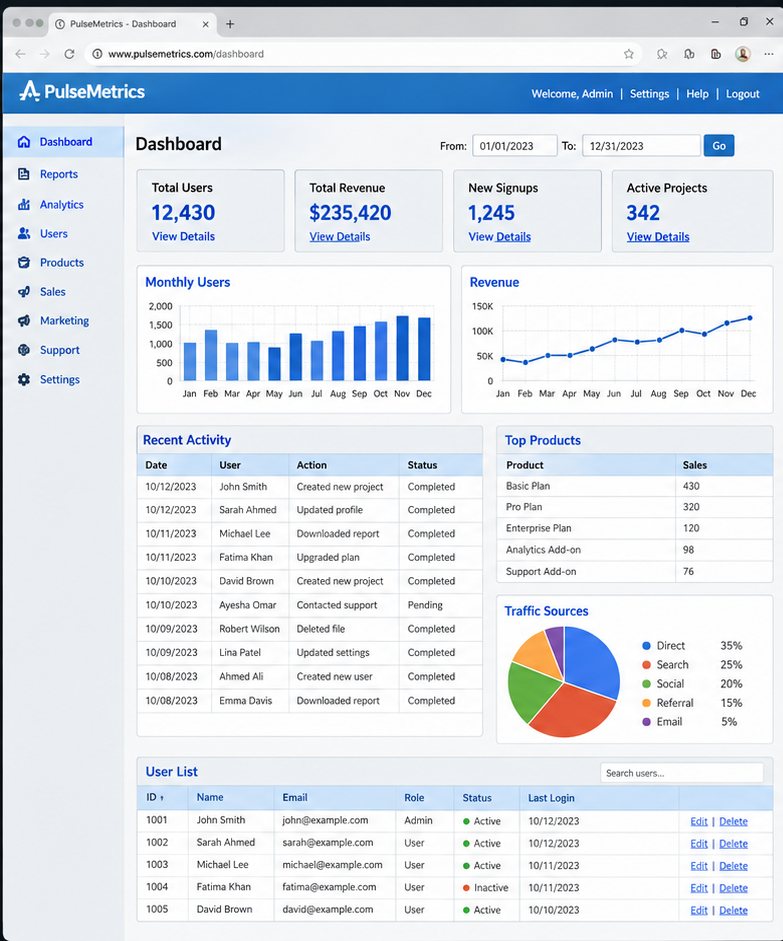
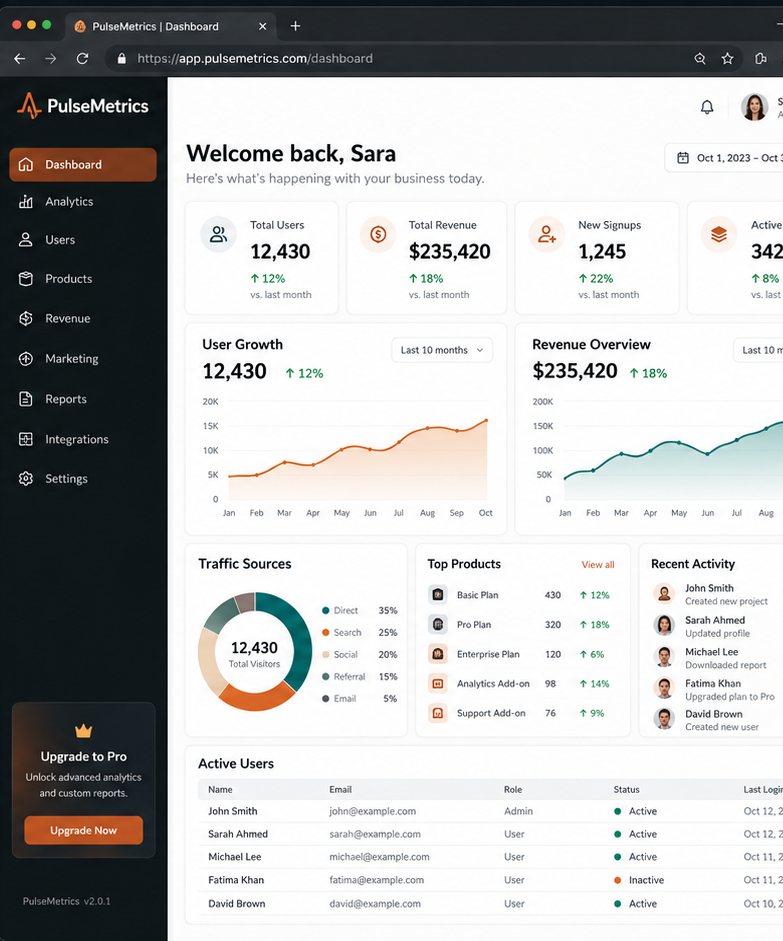
PulseMetrics had a dashboard that worked. Users could find their data, run reports, and export what they needed. The problem was that "works" is not the same as "confident." Every session felt like work navigating through dense tables, unstyled data rows, and a layout that made no hierarchy decisions for the user.
When we were brought in, the brief was simple: make this feel like a product people are proud to use. What that actually requires is considerably more complex.
The Diagnosis
The original dashboard had all the right data. But it was presented as a flat list of equal-weight information. Total users, total revenue, new signups, active projects all displayed as simple stat blocks with no visual distinction between what mattered most and what was secondary.
Charts existed but were basic horizontal bar graphs with no trend context. Users could see a number but not whether it was good, growing, or concerning. The activity log and product breakdown were buried in dense tables below the fold.
What We Redesigned
Navigation moved from a top bar to a persistent left sidebar the standard for data-heavy tools and the pattern users arrive expecting from products like Notion, Linear, and Salesforce. This freed the main content area for actual data.
KPI cards were redesigned to show trend indicators alongside the raw number. "12,430 users ↑ 12% vs last month" is actionable. "12,430 users" is just a number. This single change reduced support queries about data interpretation significantly.
Charts moved from static bar graphs to area charts with time-range selectors, giving users the ability to see patterns rather than just snapshots. The traffic sources donut chart replaced a flat pie chart, with interactive hover states that surface percentages and absolute numbers simultaneously.
The Principle
A dashboard's job is not to show data. It is to reduce the cognitive load required to understand data. Every design decision we made the sidebar, the trend indicators, the chart types, the card hierarchy was made in service of that principle.
If your internal tools feel like work to use, they are costing you in ways that are hard to quantify but easy to feel.